TLDR: bookmarks I can
stowfrom my dotfiles, browse with a TUI, and launch from anywhere with two characters. No accounts, no sync, no extension.
I spend most of my day between a terminal and a browser (okay, and Obsidian). Everything I care about — shell configs, neovim, git, mdvault — lives in dotfiles, gets stow-ed into $HOME, and that is it: a fresh laptop is one git clone away from feeling like home.
Browser bookmarks though? They live in some opaque sqlite blob inside the browser's profile, want me to log into a sync account, and stop existing the second I switch from Vivaldi to Safari to whatever else I am hyperfocused on this month. Either I cope with vendor lock-in, or my "bookmarks" become a mental list that I rebuild by googling "site I read about that thing last year".
So I built bmk. As usual in Rust, because I am still on my CLI-in-Rust phase.
What it looks like
Two modes, one binary:
- Interactive TUI — run
bmkwith no args, browse and launch. - Direct launch — run
bmk <query>from anywhere, fuzzy-resolves the best match and opens it.
The TUI
Run bmk with no arguments and you get the full thing: a list of bookmarks, a details pane for the selected one, vim-flavoured keys, ratatui drawing it all in catppuccin-mocha.
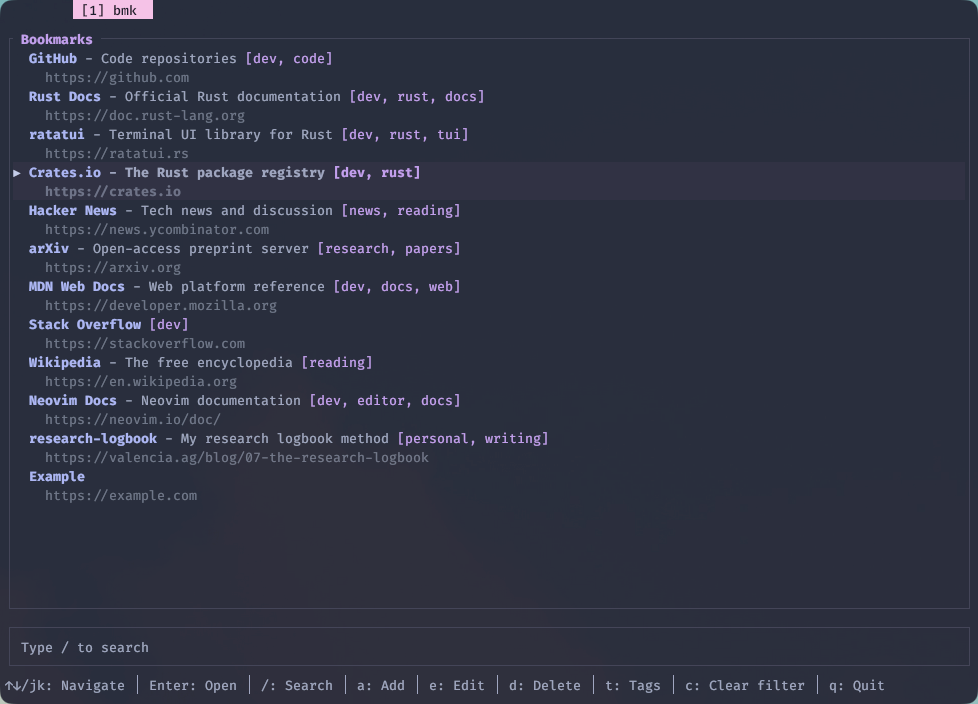
| Key | Action |
|---|---|
j / k (or arrows) | move down / up |
Enter | open the selected bookmark in your default browser |
/ | start fuzzy search |
t | filter by tag |
a | add a new bookmark |
e | edit the selected one |
d | delete the selected one |
Esc | cancel current action / clear filter |
q | quit |
Search ranks fields in a fairly opinionated order: a match in the name always beats a match in the URL, which beats a match in the description, which beats a match in tags. So typing gh will find your GitHub bookmark before it goes hunting for gh substrings inside random URLs. Consecutive characters and matches at word boundaries (after /, ., -, _, space) get ranked higher too — typing rl should hit research-logbook.
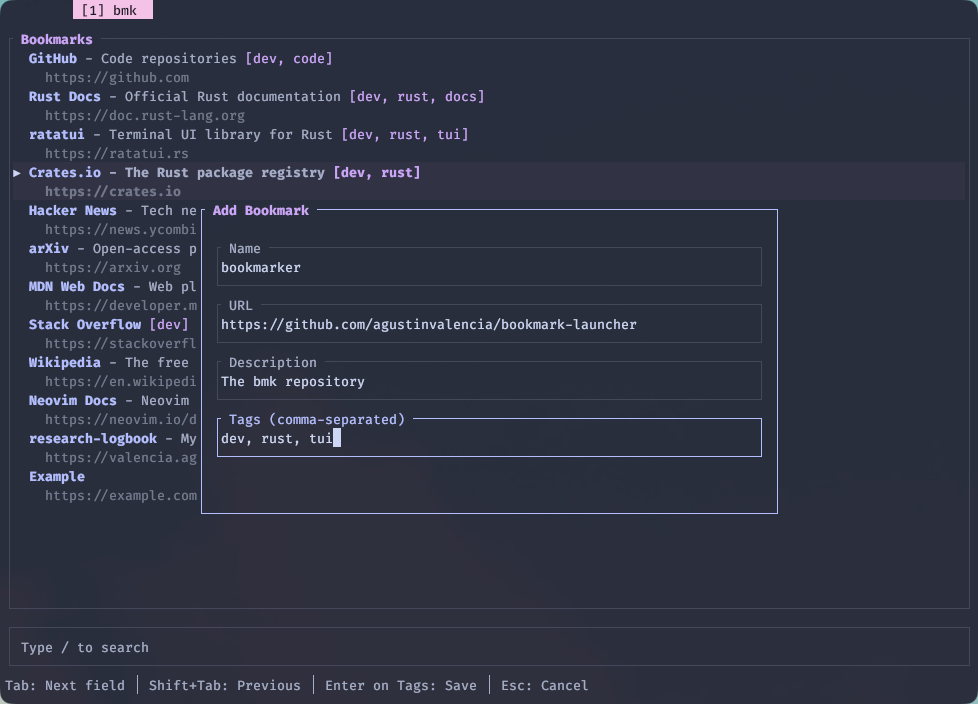
The add/edit flow is a small modal that walks you through name → URL → description → tags. Nothing fancy. Delete asks for confirmation because I have absolutely deleted the wrong row before.
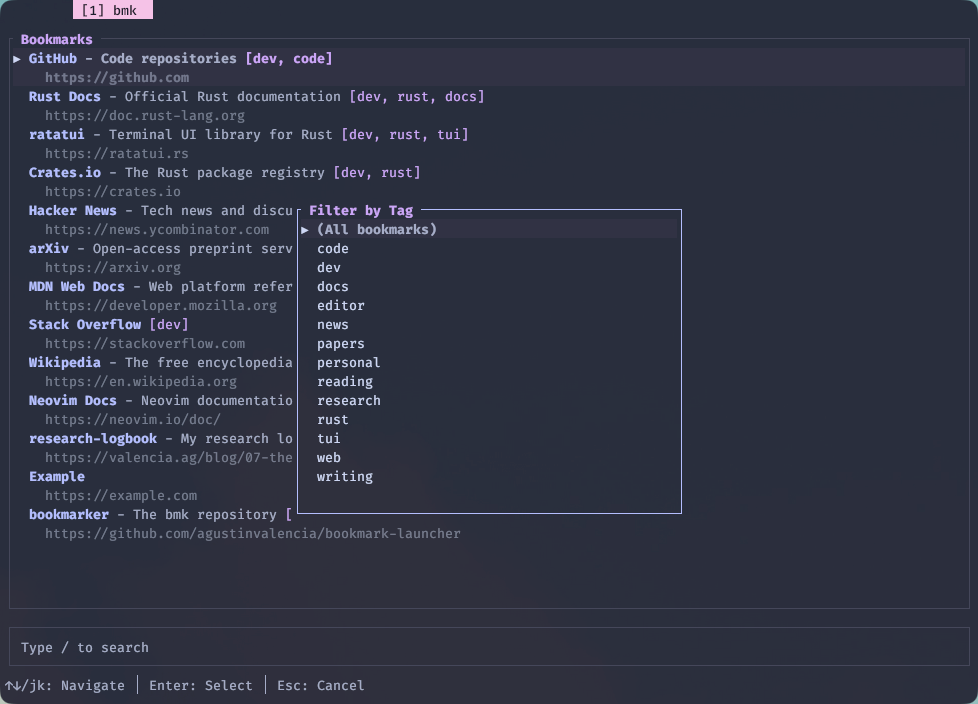
Press t and you get a tag picker: select one to filter the list down to bookmarks carrying that tag, hit Esc to clear it. Useful once your list grows past the "I can eyeball it" threshold.
Direct launch — the bit I actually use the most
From anywhere — a tmux pane, a shell script, a keybinding — type:
bmk research-logbook
bmk github
bmk "rust docs"
bmk runs the same fuzzy matcher against your bookmarks, picks the best match, and hands the URL to your default browser. If nothing matches, it exits with a non-zero status so you can chain it from a script without surprises.
This is the part that makes it worth the saturday afternoon: my fingers never leave the home row to open something I look at every day.
The YAML file (the actual selling point)
Bookmarks live in ~/.config/bmk/bookmarks.yaml. That is the whole storage layer. No database, no profile directory, no proprietary format.
- name: GitHub
  url: https://github.com
  desc: Code repositories
  tags:
    - dev
    - code

- name: Rust Docs
  url: https://doc.rust-lang.org
  desc: Official Rust documentation
  tags:
    - dev
    - rust

- name: Example
  url: https://example.com
Only name and url are required. desc and tags are optional, and they will not even show up in the file if you do not use them.
This is the entire reason bmk exists. The file lives in my dotfiles repo, gets stowed onto every machine I use, and survives whichever browser I feel like switching to this month. If I want to add a bookmark from the command line, I edit the YAML; if I want to do it from the TUI, a does the same thing under the hood. Either way the file ends up in git.
Install
Until I get around to publishing to crates.io:
cargo install --git https://github.com/agustinvalencia/bookmark-launcherThen drop a bookmarks.yaml in ~/.config/bmk/, stow it from your dotfiles, and run bmk.
Was it worth it?
Probably not by any rational metric. Browsers do this. Raycast does this. Alfred does this. But none of those let me version-control my bookmarks as plain YAML alongside the rest of my dotfiles, and none of them let me launch a URL with two characters from a tmux pane.
So yes — another saturday afternoon well spent. If you also enjoy overengineering simple things, the repo is here.
-- Agustín